CoinStage Pro
Crypto Investment App and Admin Panel Design
UI and UX design for a crypto platform. It helps regular investors track their money, copy top traders, and earn interest on investments. It also gives the admin team simple tools to manage users, check transactions, and approve withdrawals safely.
CoinStage Pro
6 Weeks
Product & UI/UX Design
50+ App and Admin Screens
The Problem: Confusing Charts, High Risk, and Slow Admin Tools
Many people find crypto apps hard to use. Prices jump fast, trading screens are crowded, and it is hard to tell real profit from deposits. At the same time, platform managers wasted time checking user accounts and transactions manually across different systems.
Hard to Understand Balances
Users could not easily tell how much money they deposited versus how much profit they actually made. Price drops caused panic.
No Trust in Copy Trading
Leaderboards only showed short-term wins. They hid past losses, so users were afraid to copy other traders.
Confusing Investment Plans
Interest rates, lock-up periods, and bonus rules were buried in small text. Users did not know how much they would earn.
Slow Admin Work
The team had to check user accounts, deposits, and withdrawal requests manually across separate spreadsheets.
Design Process
A 6-week design project to make the app simple for investors and fast for admins:
User Research & Flows
Talked with active crypto investors to see where they got stuck, confused, or afraid to invest.
Wireframes & Layout
Organized the layout so key numbers appear first, keeping charts clean and easy to read.
Design System & UI
Built dark mode screens in Figma with clear buttons, clean cards, and simple color rules.
Testing & Final Screens
Tested screens with users to confirm that copying traders, investing, and admin tasks were fast and simple.
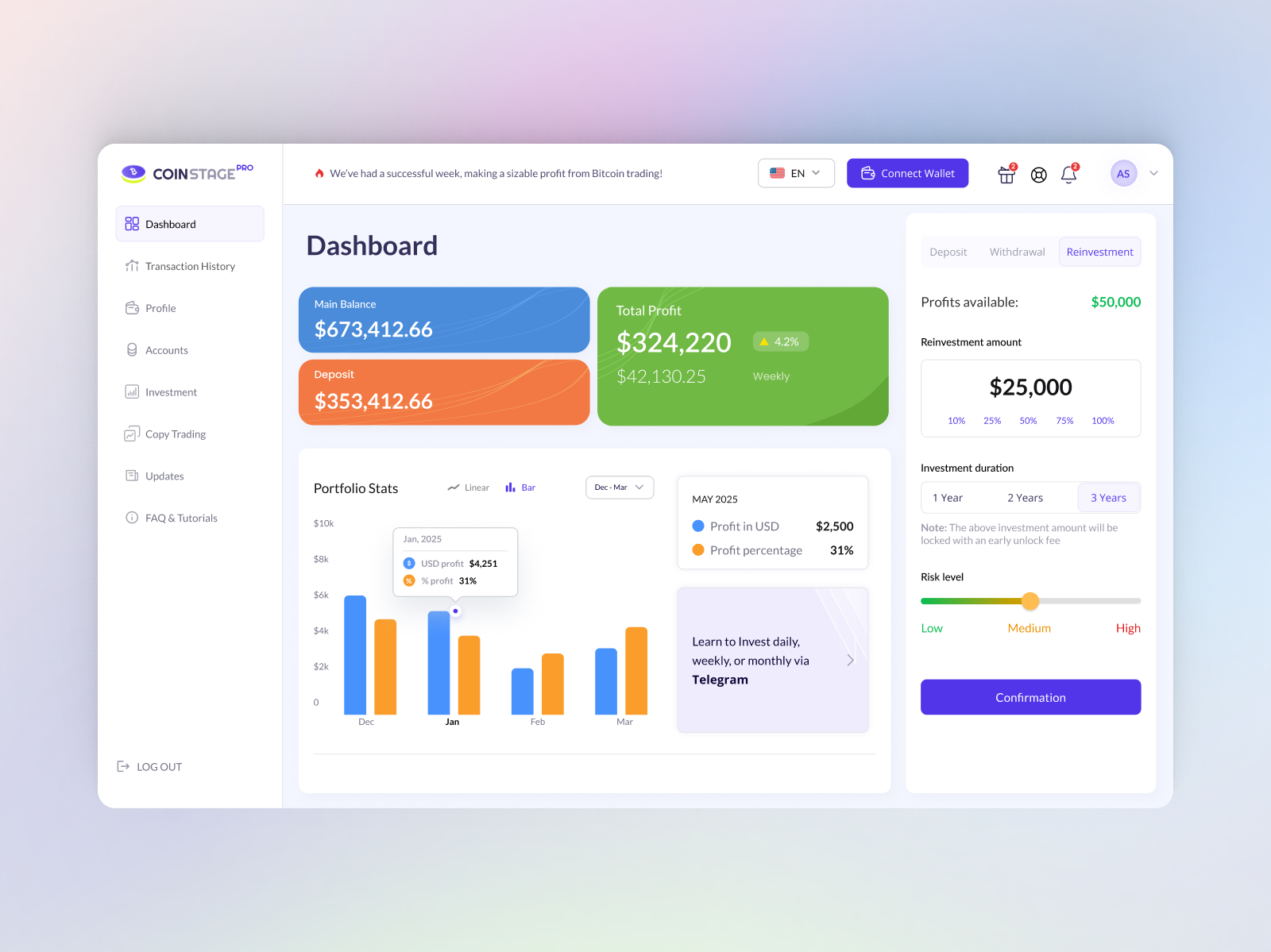
Investor Dashboard
Shows total balance, clear profit and loss, current coins, and quick buttons to deposit or withdraw.
Investor App: Making Crypto Simple and Clear
We focused on the three main parts of the app where users had the most trouble: checking balances, choosing investment plans, and copying traders.
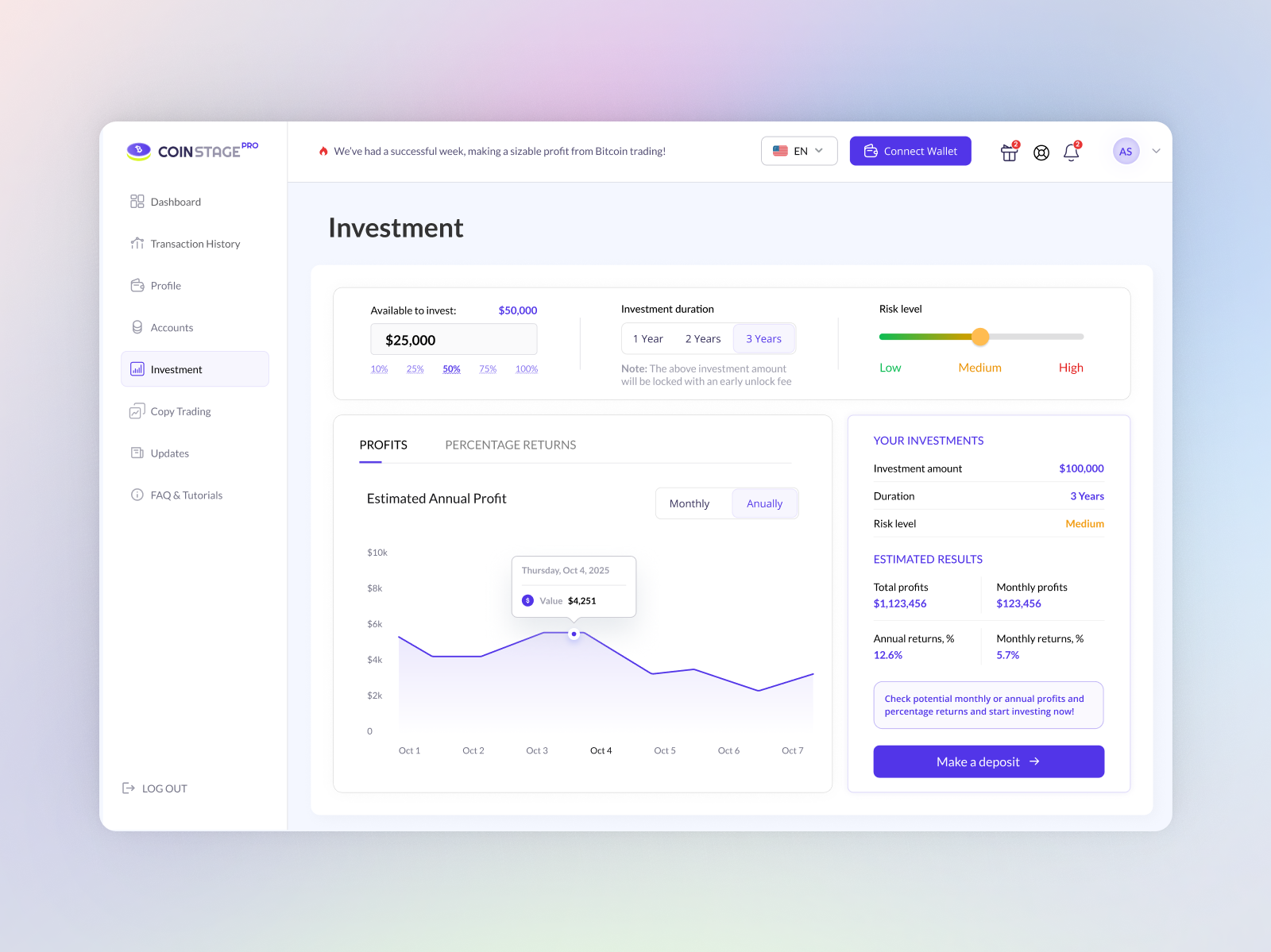
Investment Plans & Returns
Simple cards showing how much interest you earn, how long funds stay locked, and total profit.
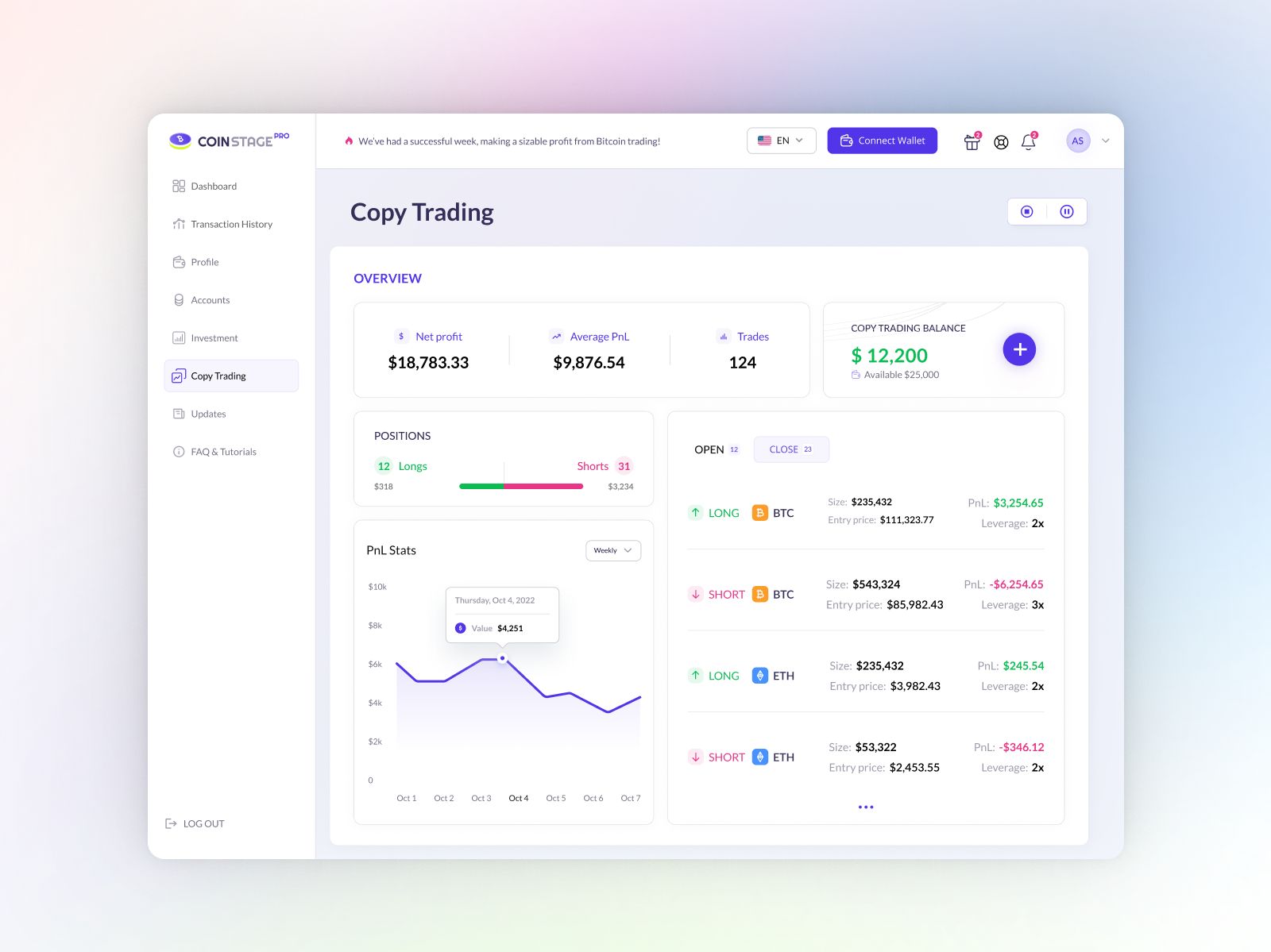
Copy Trading Leaderboard
Shows real trader win rates, past losses, and a simple button to copy their trades safely.
Clear Balance and Real Profit
We put the total account value at the top in big numbers. Users can click to see 24-hour, weekly, or monthly profit. It clearly separates original deposits from actual profit.
Honest Trader Stats
Instead of just showing big gains, trader profiles now show past losses, win rates, and total followers. Users can also set a safety stop-loss limit so they never lose too much.
Simple Investment Calculator
Users choose an investment plan and move a slider to see exactly how much cash they will make. A simple toggle turns on auto-reinvesting so profits grow automatically.
Key Design Decisions
Four important design choices that made the platform easier and safer to use:
Show Main Numbers First, Details Second
Showing too many charts and technical trading data scared new investors away.
We placed total balance and profit front and center. Users can open tabs only if they want deep order details.
Show Risk and Losses, Not Just Wins
Users copied traders who made fast profits, only to lose money when those traders took crazy risks.
We added clear risk scores and past loss records to every trader card before users copy them.
Live Profit Preview Before Committing Money
Users did not understand complex interest rates and locked periods, so they left without investing.
We built an interactive slider that shows the exact dollar return before the user clicks confirm.
Two-Step Checks on Money Transfers
Users made mistakes typing crypto wallet addresses or accidentally withdrew funds early.
We added a simple review screen showing the wallet address, fee, and security code check before sending money.
Admin Panel: Tools to Run the Platform Faster
The admin panel helps the team manage daily operations in one place. Instead of checking spreadsheets or writing database queries, managers can see platform money, verify users, check transactions, and stop fraud with a few clicks.
Admin Overview Dashboard
The main screen for platform managers. It shows total money on the platform, daily fee income, active traders, and pending tasks in one clean view.
Track Platform Money and Income
Shows total deposits, daily profit, and fee earnings in real time.
Watch Reserve Health
Helps managers see how much cash is ready to pay user withdrawals so the platform never runs low.
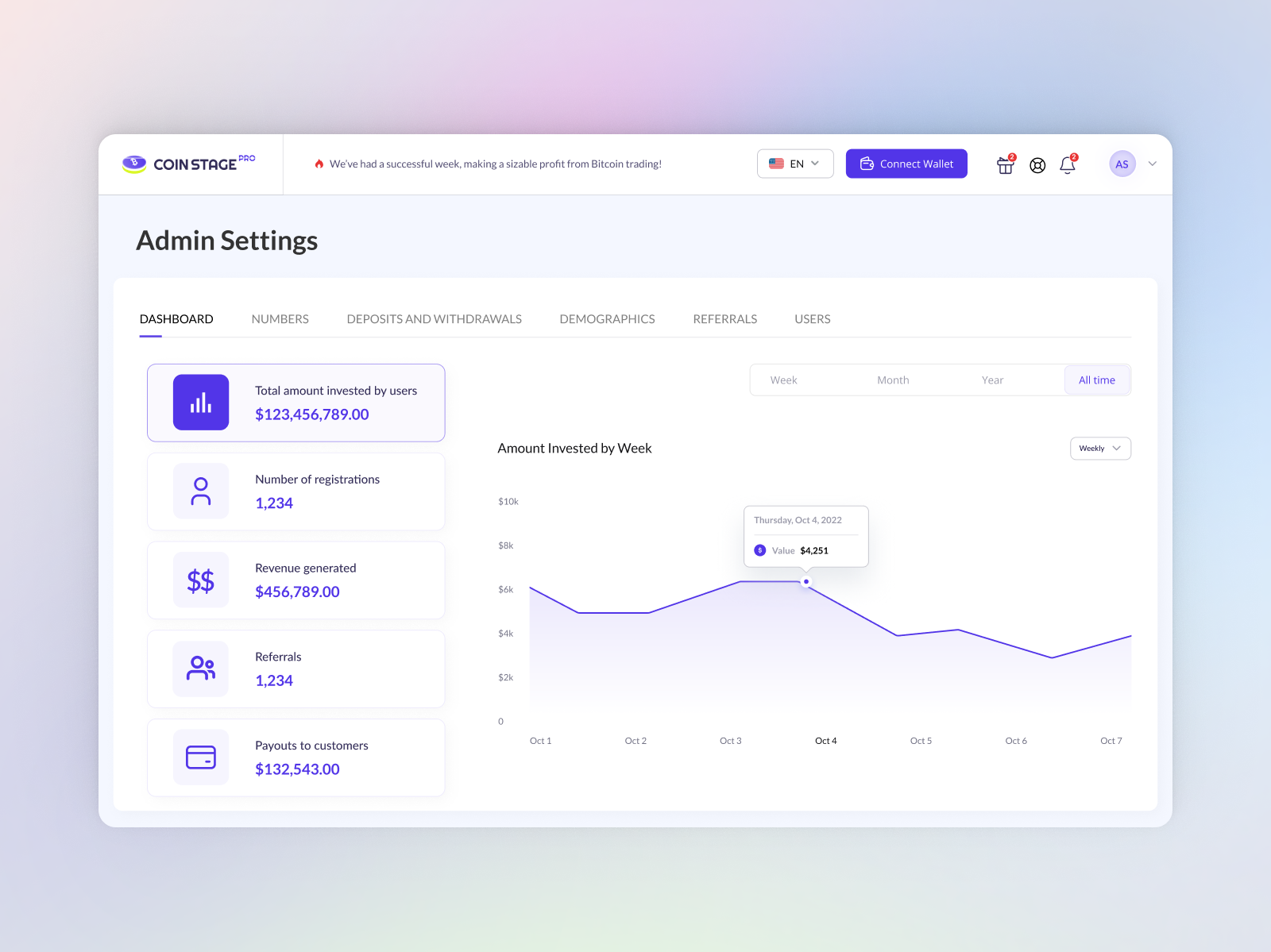
Admin Overview
Live charts showing platform deposits, daily revenue, active users, and pending tasks.
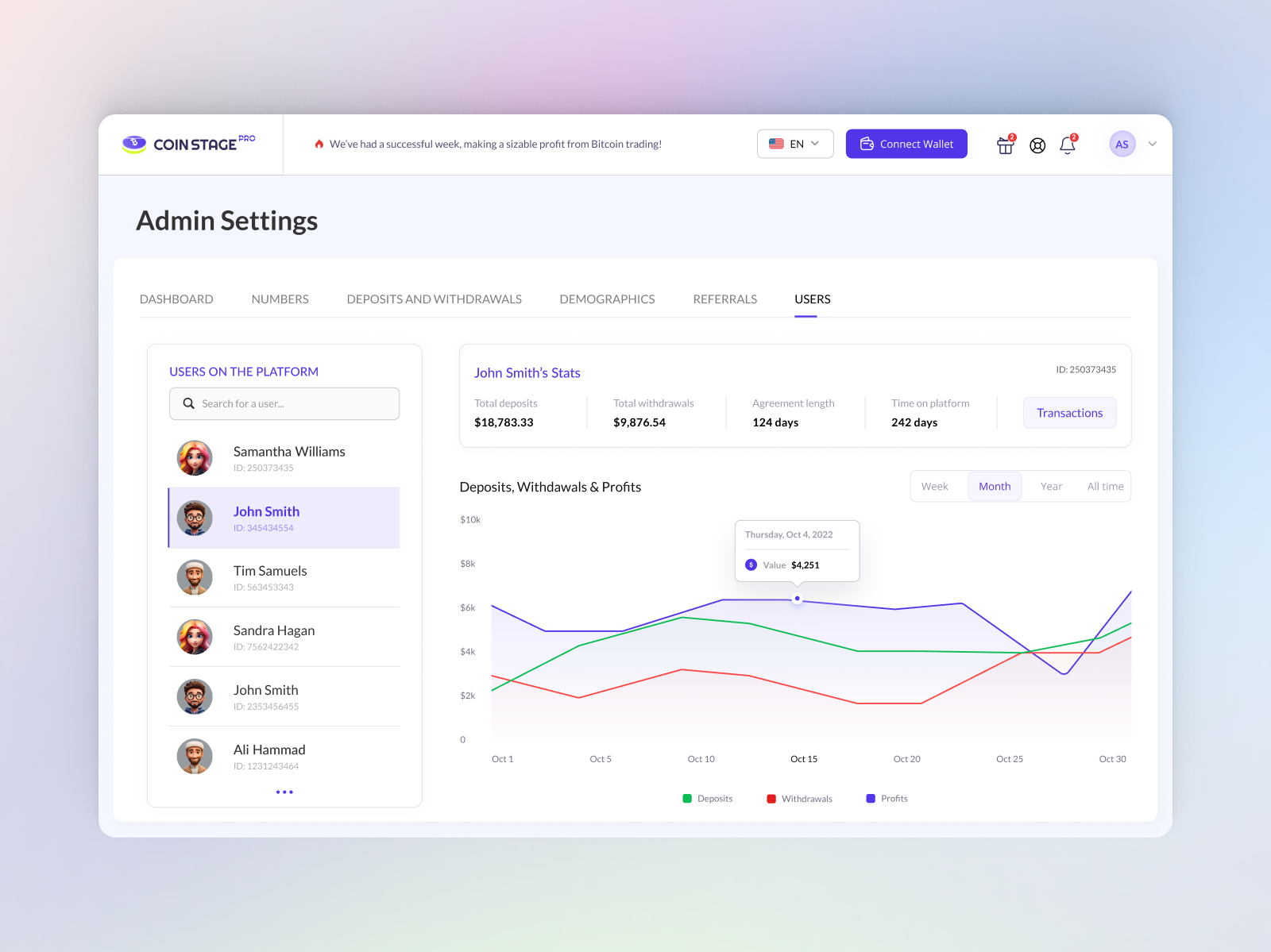
User Accounts and ID Checks
Lets the support team search any user, check their ID documents, view their balance, or block bad accounts in seconds without asking developers for help.
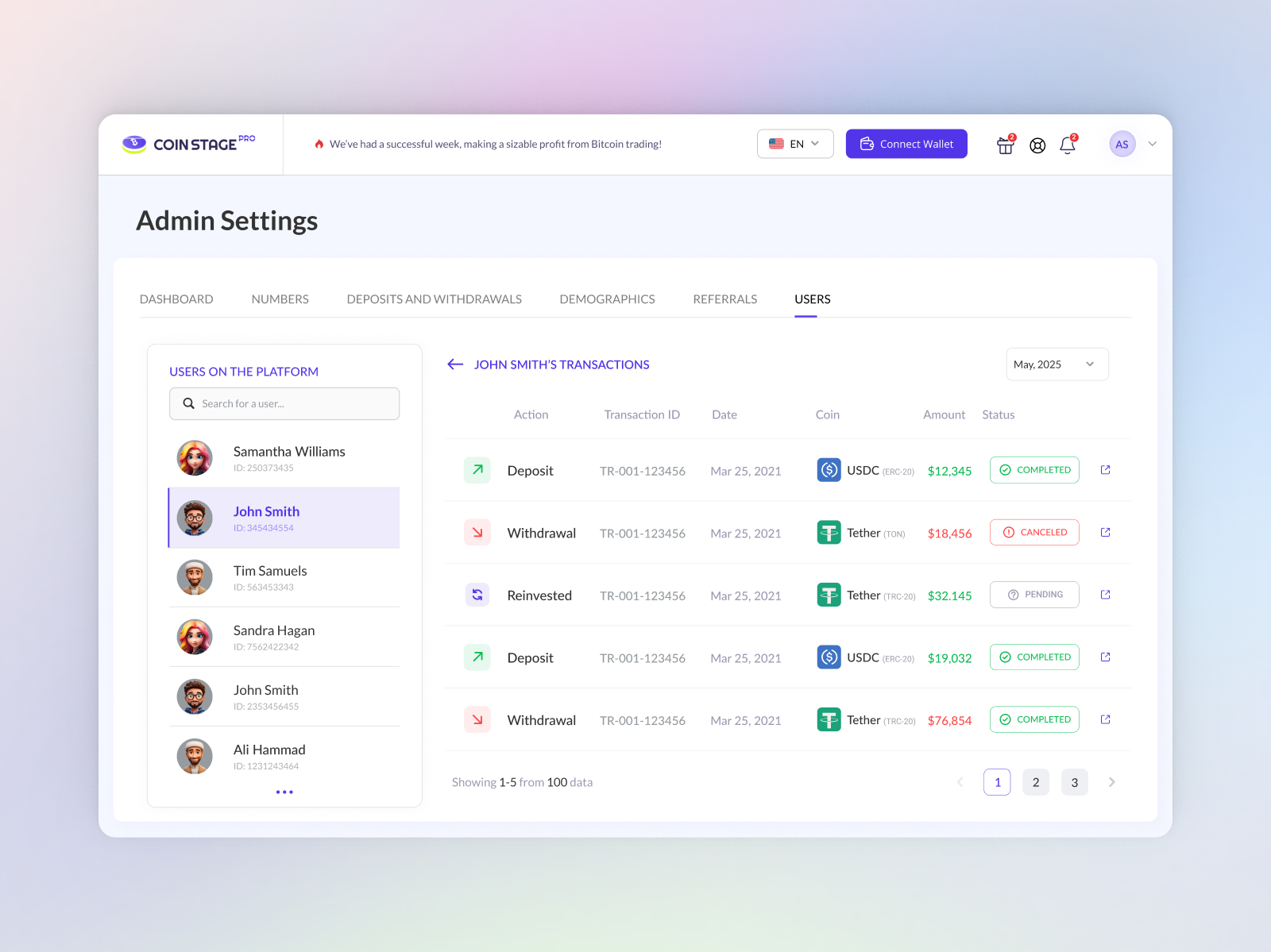
Transactions and Audit Log
A complete list of every deposit, withdrawal, and fee. Managers can search by transaction ID to fix payment questions quickly.
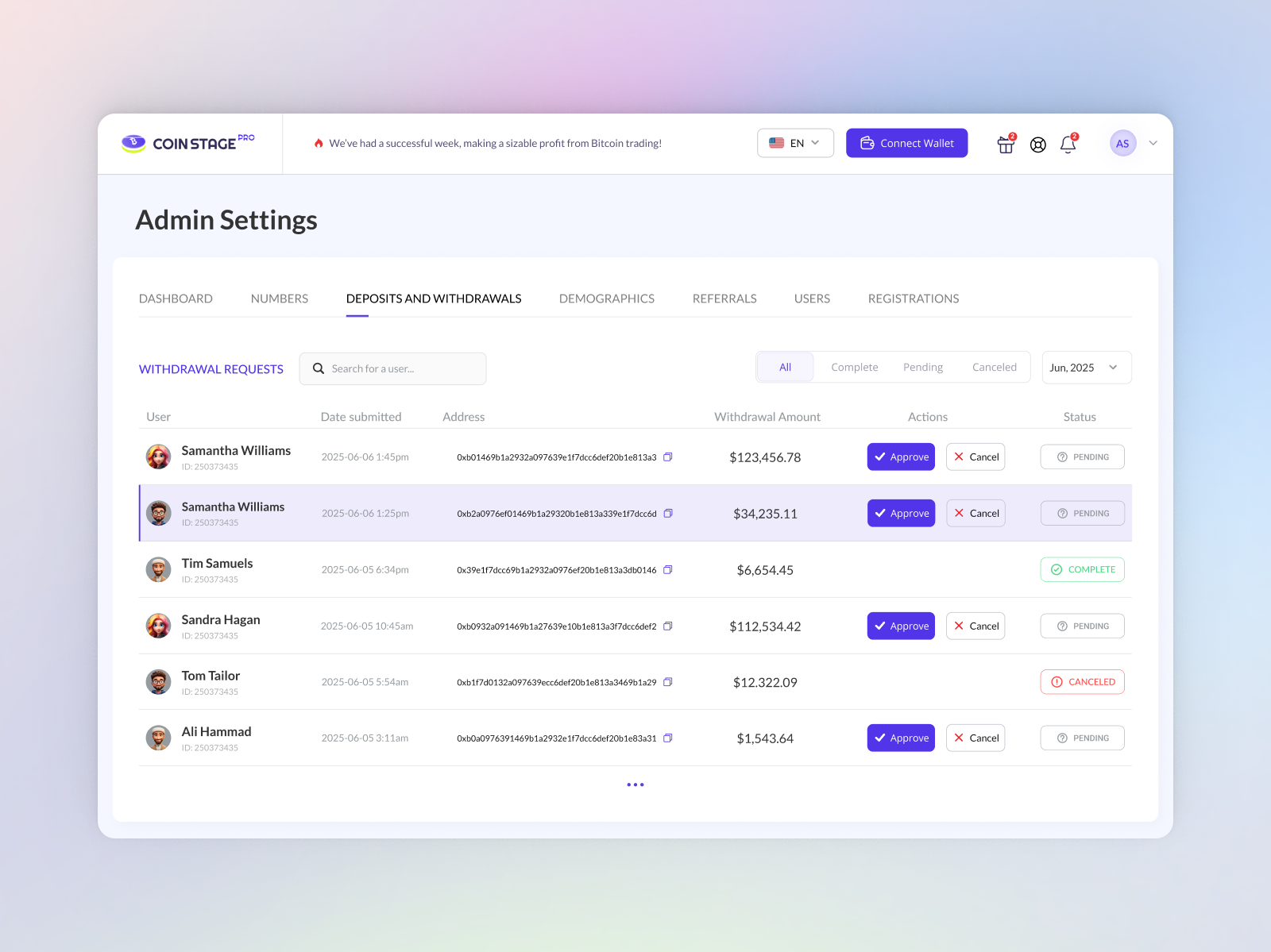
Withdrawal Approvals
Flags suspicious or unusually large withdrawal requests. Managers can review and approve them safely before releasing money.
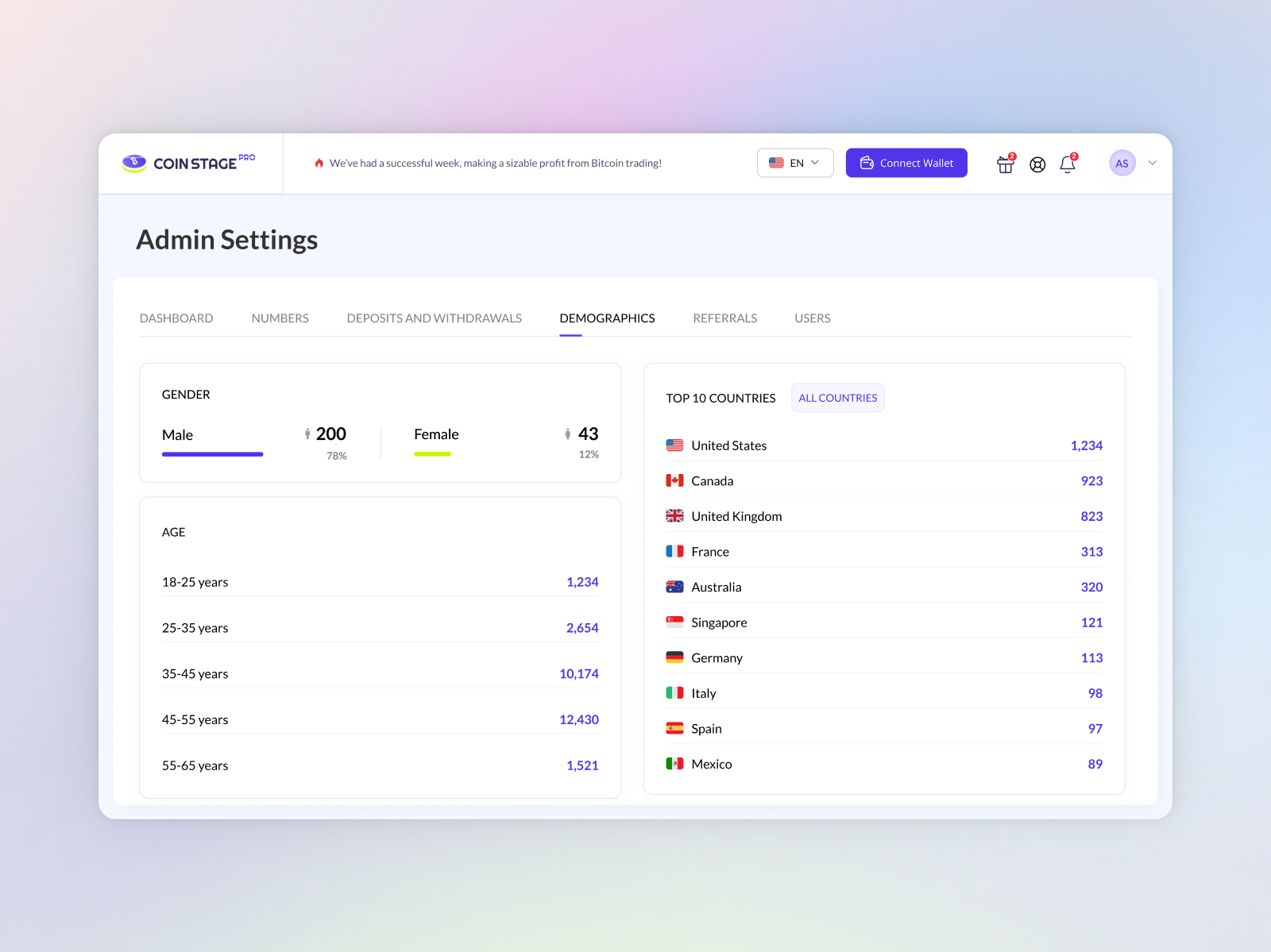
User Locations and Demographics
A world map showing where users live and where most trading volume comes from. Helps the team know which countries are growing fastest.
Results & Impact
The new design made the platform easier for investors and much faster for the support team:
50+ Ready-to-Build Screens
Designed complete screens for both mobile and desktop, covering user accounts, trading, and the full admin panel.
Clearer Onboarding and Investing
Step-by-step screens guide new users through identity checks, first deposits, and picking an investment plan without getting lost.
Centralized Admin Workflows
All key management tools are now in one place, so operators can verify accounts, track payments, and review withdrawals without manual database lookups.
Zero Guesswork for Developers
Provided clear design specs, button states, and color rules in Figma so developers could build without confusion.
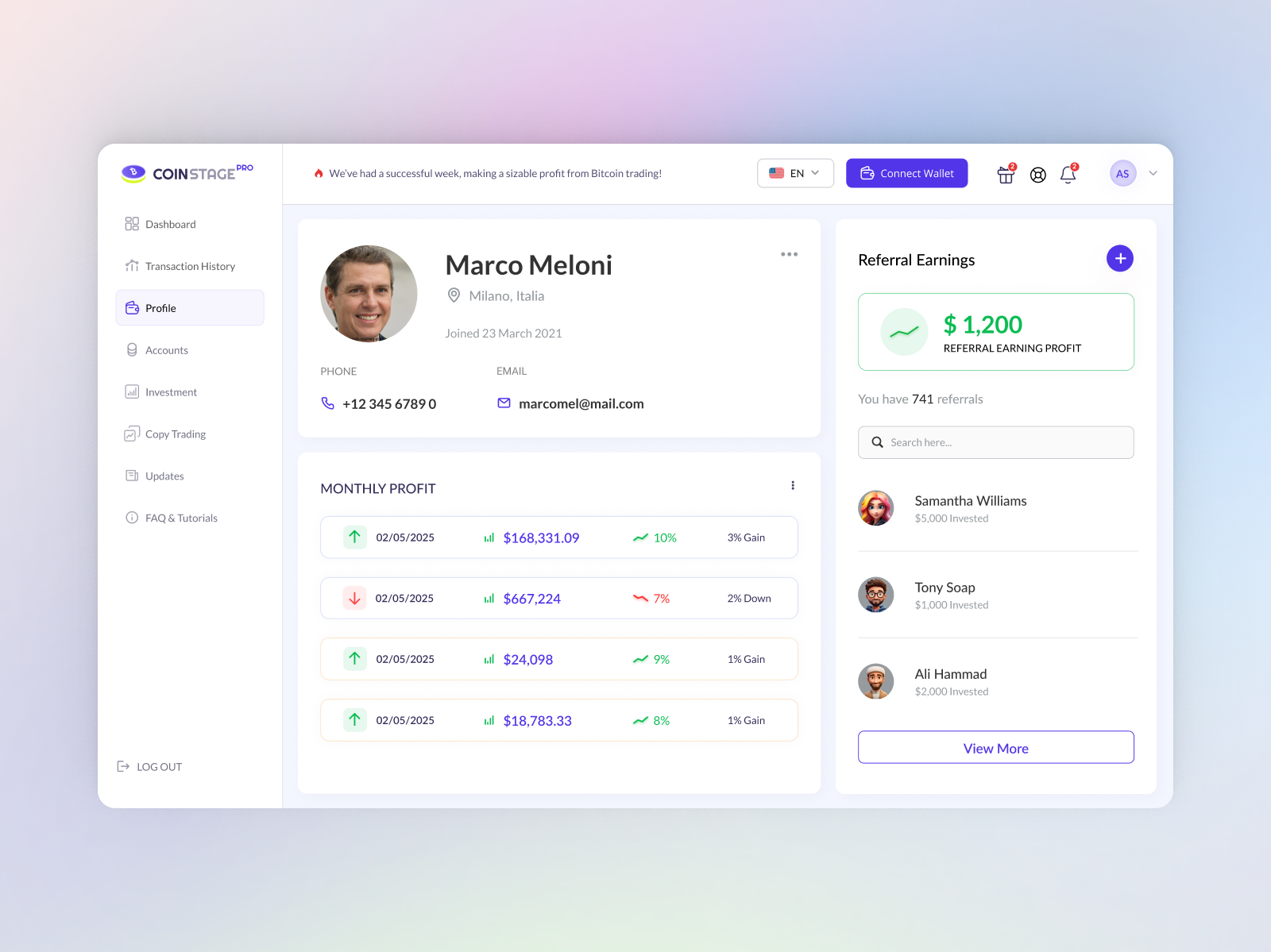
Profile & Security
Account settings with two-step login, saved wallet addresses, and security activity history.
Design System Guidelines
Keeping UI components, colors, and button rules organized so new features fit the design smoothly.
Mobile App Next Steps
Adapting the desktop trading cards and admin review flows for touchscreens on iOS and Android phones.
Gallery
All 9 screens designed for the investor app and admin panel. Click any screen to view full size: